

Seasons is now live in the Transition app. You can see your training plan all the way to race day.
When you commit to a race months away, you want to understand how today's training will get you there. How will your long sessions grow? When will training get heavier? Where do the lighter weeks fit?
Seasons makes that progression visible. It brings your weekly training hours, training phases, and races into one view, so you can understand where your plan is taking you.
See how your training will progress
Open your season and you can follow the weeks ahead: the gradual build in training, the lighter weeks along the way, and the taper as your goal race approaches.
You can explore:
- Weekly training hours. See how much training is planned each week and how that changes across your season.
- Your long swim, ride, and run. Follow how those sessions are expected to develop as you prepare for your race.
- Training phases. See where you are in phases such as Base, Build, Peak, and Taper, with an explanation of what each part of the plan is for.
- Races along the way. See where your events fall and how their priorities fit into your preparation.
Tap a week to look more closely. Past weeks show the training you completed, while the weeks ahead show the planned progression.
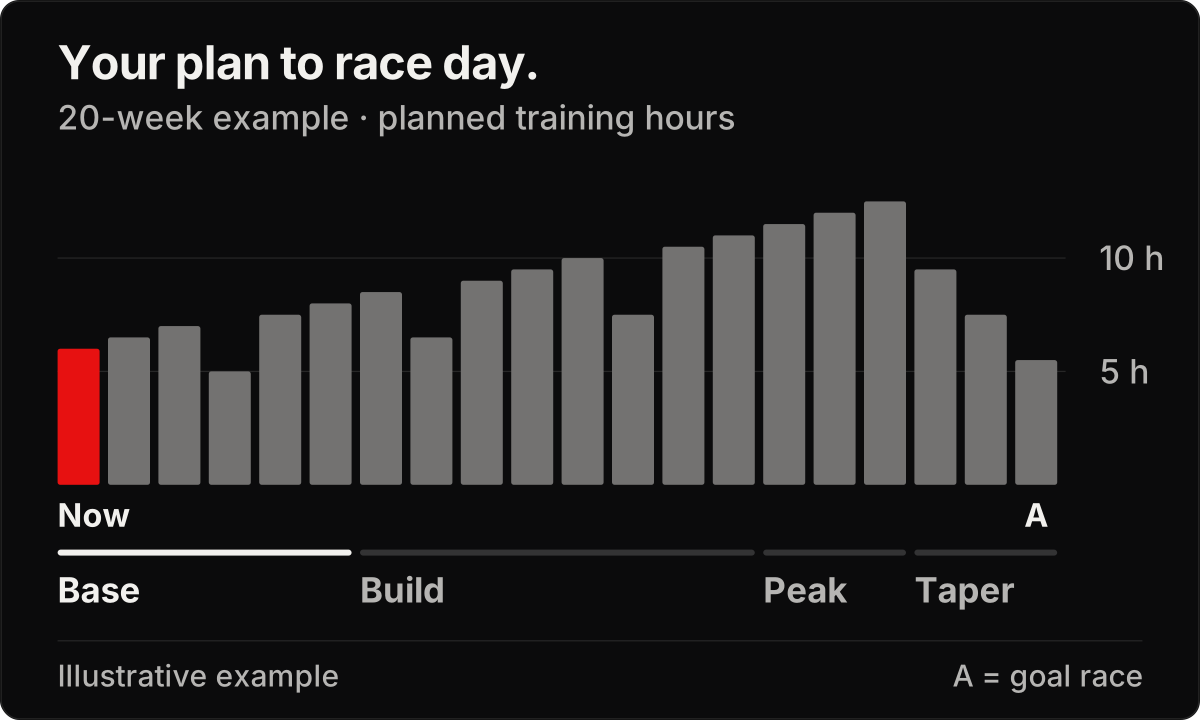
An illustrative season using the same sample as the app's What's New preview. Your hours, phases, and progression depend on your training and goals.
Understand the plan behind this week's workouts
An easier week makes more sense when you can see where it sits between two periods of building. A long ride feels more purposeful when you can see how it develops toward the demands of your race.
That context matters. Trust in a plan grows when you can understand its direction, see the progression, and know what you are working toward.
The season overview and your workouts are connected. Detailed workouts are created closer to each training week, keeping your day-to-day training responsive while you can still see the longer-term plan.
Bring your races together
Your season can include more than one start line. You might have a sprint triathlon early in the year, an Olympic-distance race later, and a 70.3 as your main goal.
Seasons takes your race dates and priorities into account. Your A race is the main focus, with preparation built around it. B and C races fit into that preparation according to their priority, helping you see how the events on your calendar work together.
The current view focuses on your next A race, with up to 52 weeks visible. Races beyond that goal remain listed after the current season.
Your season adjusts with you
Race calendars change. So does the time you have to train.
When you change your weekly training time, training preferences, or races, your season refreshes automatically. Add an event, move a race date, or change which race matters most, and the overview updates to reflect your new plans.
That gives you a way to look ahead while keeping your training connected to your life now.
Take a look at your season
Update to the latest version of Transition, then open Training, tap the calendar icon, and choose Season.
Start with your goal race and explore the weeks leading up to it. See how your long sessions develop, where training builds, and when the plan eases back.


