

Today we shipped Transition's first Model Context Protocol (MCP) server. If you use Claude, you can now connect Transition as a custom connector and bring your training plan, performance metrics, recovery data, and AI coach into any Claude conversation. Seventeen tools, one-click OAuth, no copy-pasting charts.
This post is for athletes who use Claude for other stuff — research, writing, planning their week — and have thought "wouldn't it be nice if it knew my training context too." It does now.
Why this matters
Coaching conversations don't happen in a vacuum. When you ask "should I push this weekend?", the answer depends on: what's on your calendar, how your fitness has trended the last 12 weeks, your TSB today, whether you slept, whether your knee's been bugging you, and what your A-race is. Those lives in Transition. Until now, if you wanted Claude's help making that call, you had to paste data in manually.
MCP changes that. Claude can now fetch any of those signals directly from Transition, on demand, scoped to your account, securely. You stop being a copy-paste proxy between two tools.
What you can actually do
Ask what's on the plan — and whether you should do it
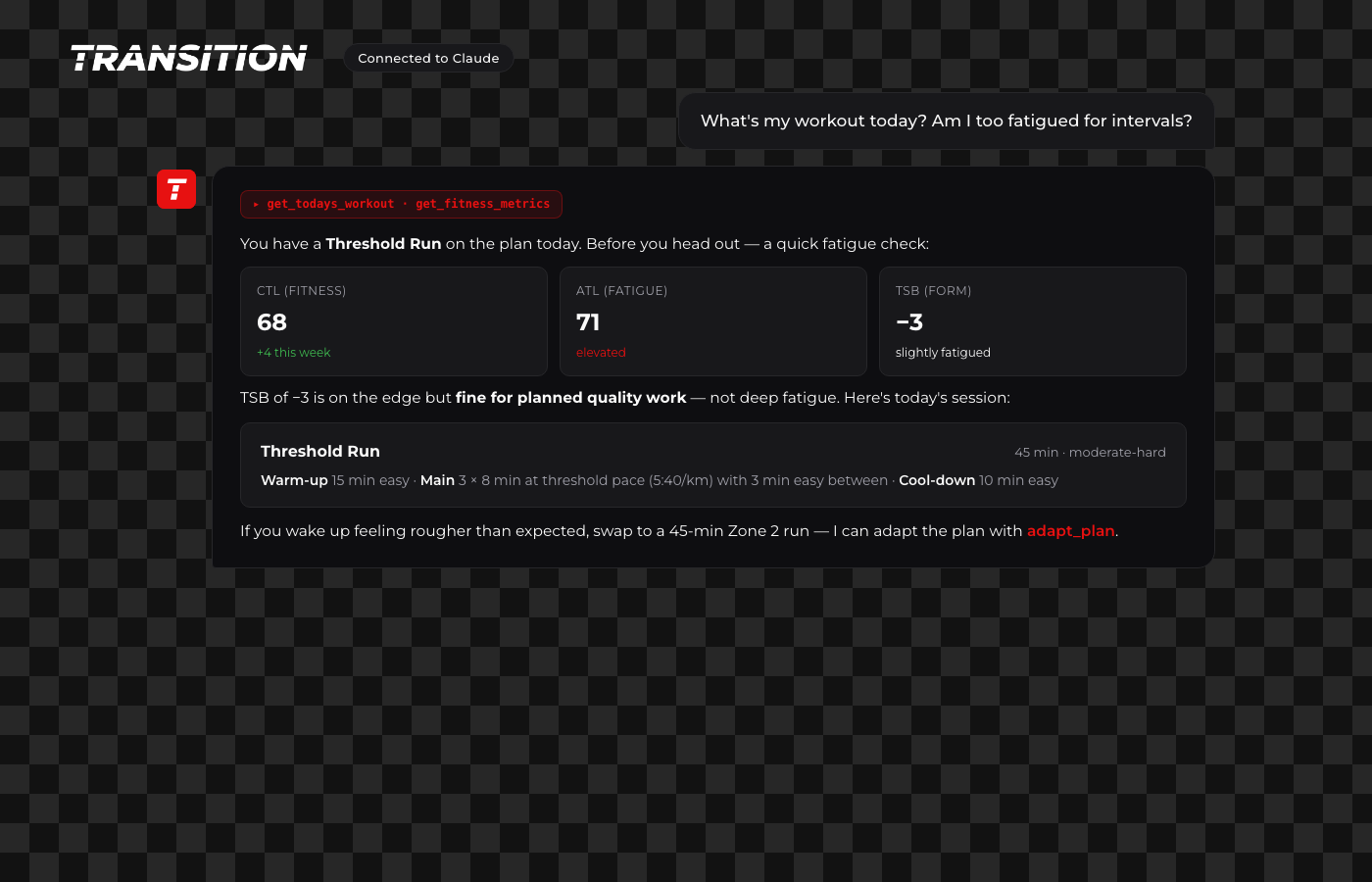
Ask Claude "what's my workout today? Am I fatigued?" and it pulls both the session from your plan and your PMC numbers in one turn. You get the same fatigue-aware answer your coach would give — grounded in real data, not a guess.
See your week
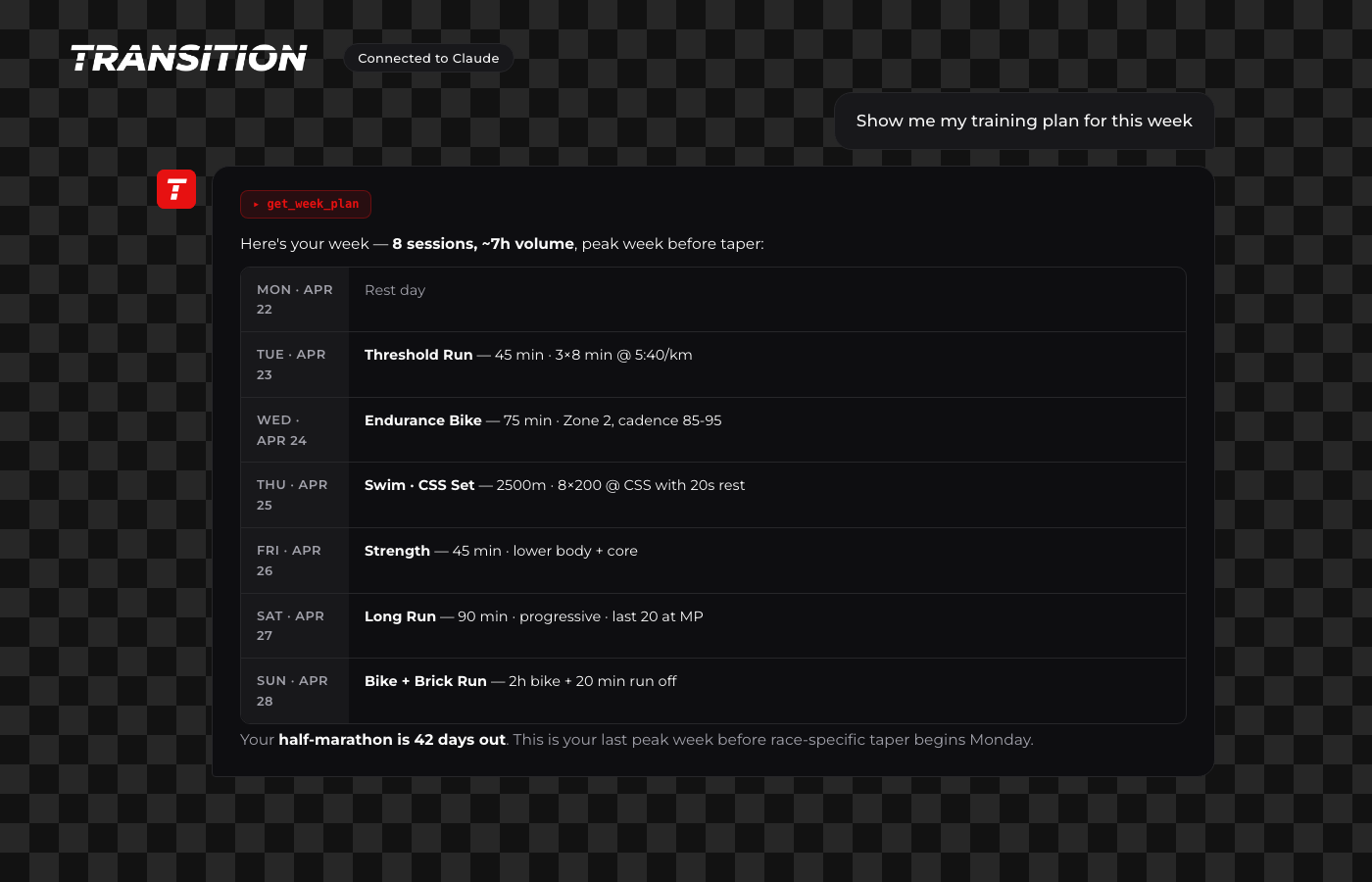
get_week_plan returns the next seven days formatted. You can follow up with "tell me more about Wednesday's intervals" and Claude drills into the specific workout for segments, pace targets, and notes.
Track whether you're actually getting fitter
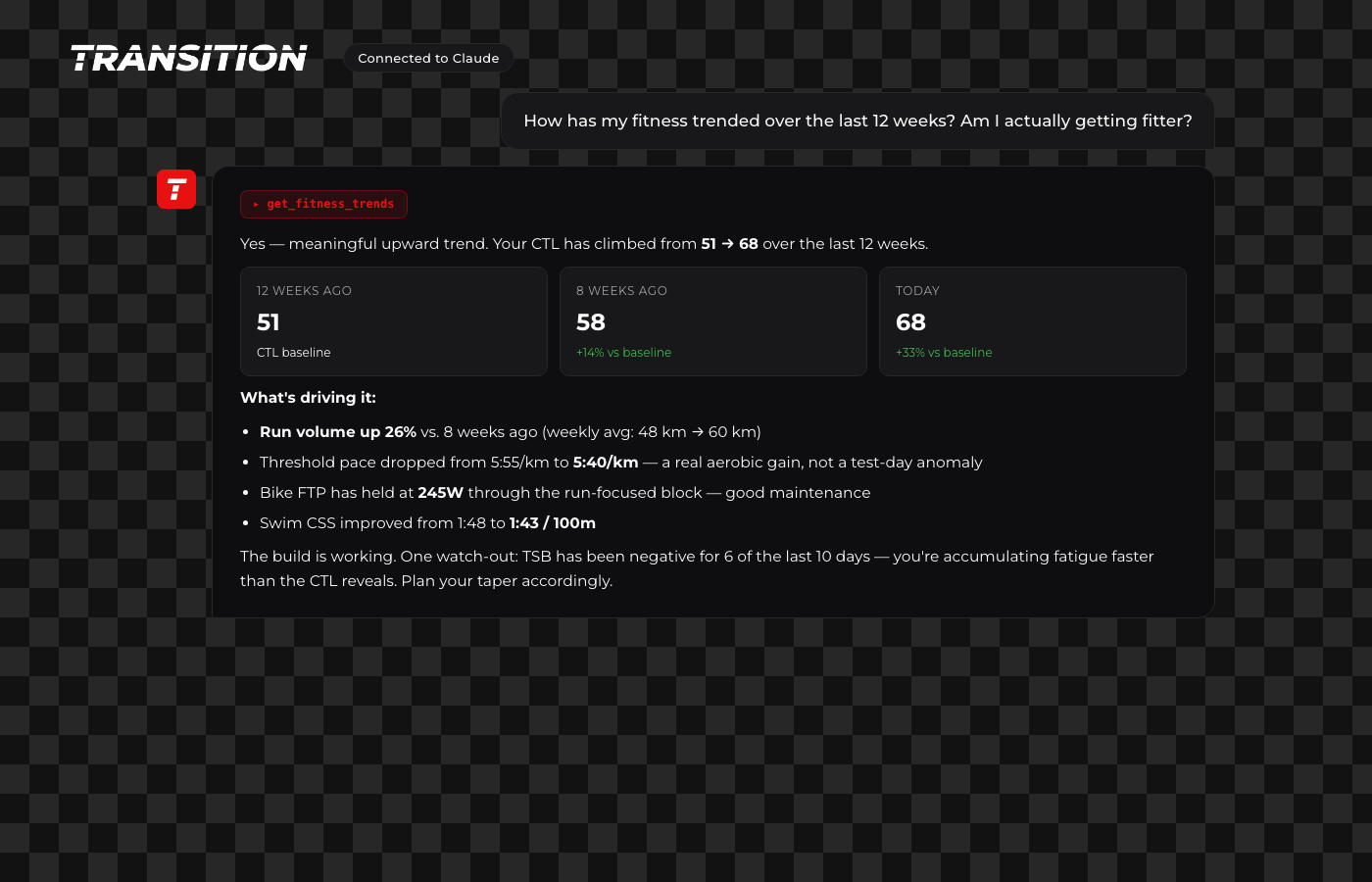
get_fitness_trends returns a fused 4-week training breakdown plus a 12-week CTL trajectory. No more "I think I'm getting fitter?" — Claude shows you the numbers: CTL delta, volume changes, threshold drift, FTP maintenance. Same signal your coach would use for a build-vs-plateau call.
Adapt the plan mid-block
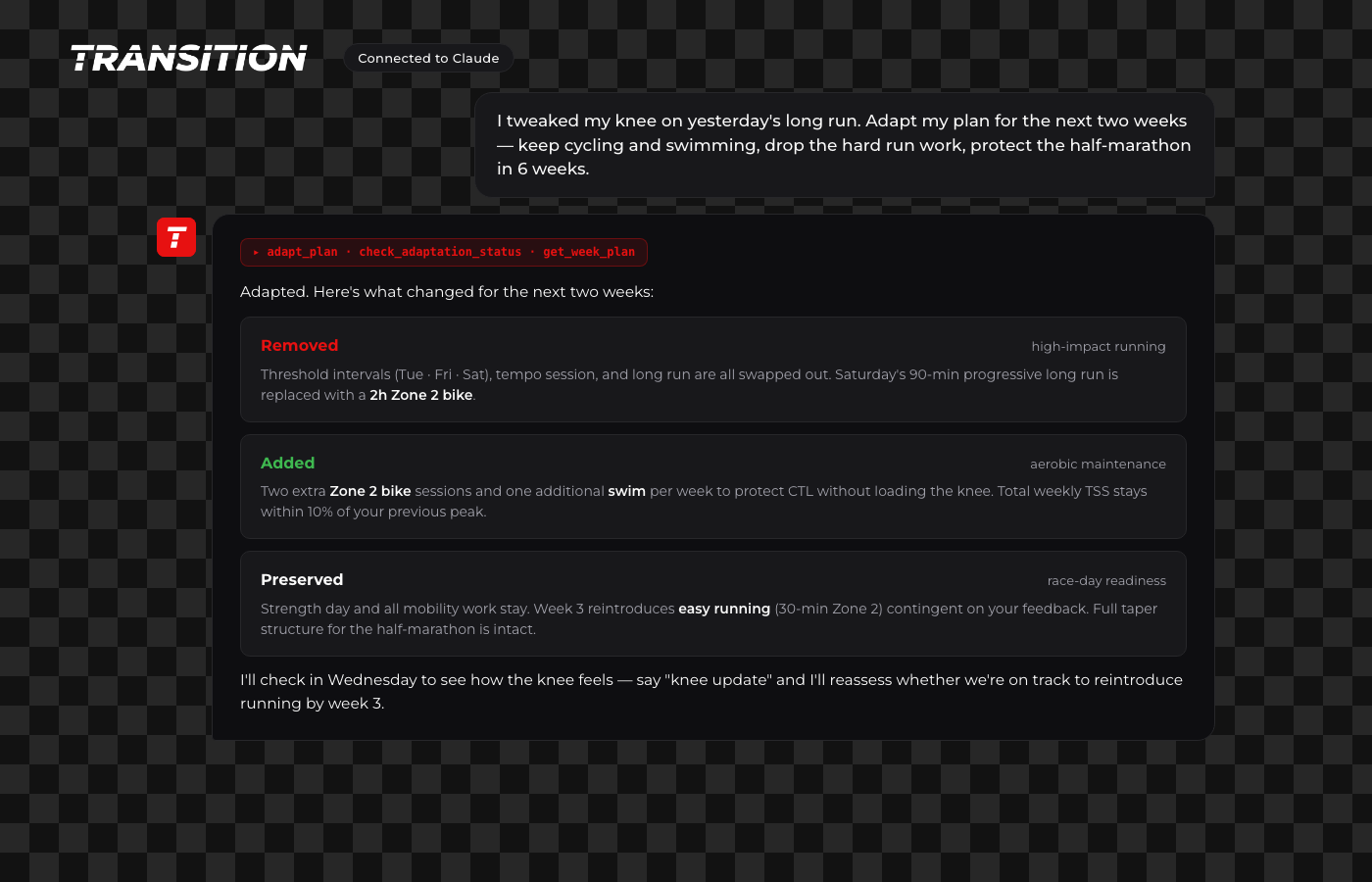
"I tweaked my knee on yesterday's long run — adapt my plan." Claude triggers a plan adaptation, polls for completion, and comes back with a coherent two-week rework: run volume swapped for bike and swim, key workouts protected, taper structure intact. It's the same adaptation engine that runs in the Transition app.
Generate a workout on demand
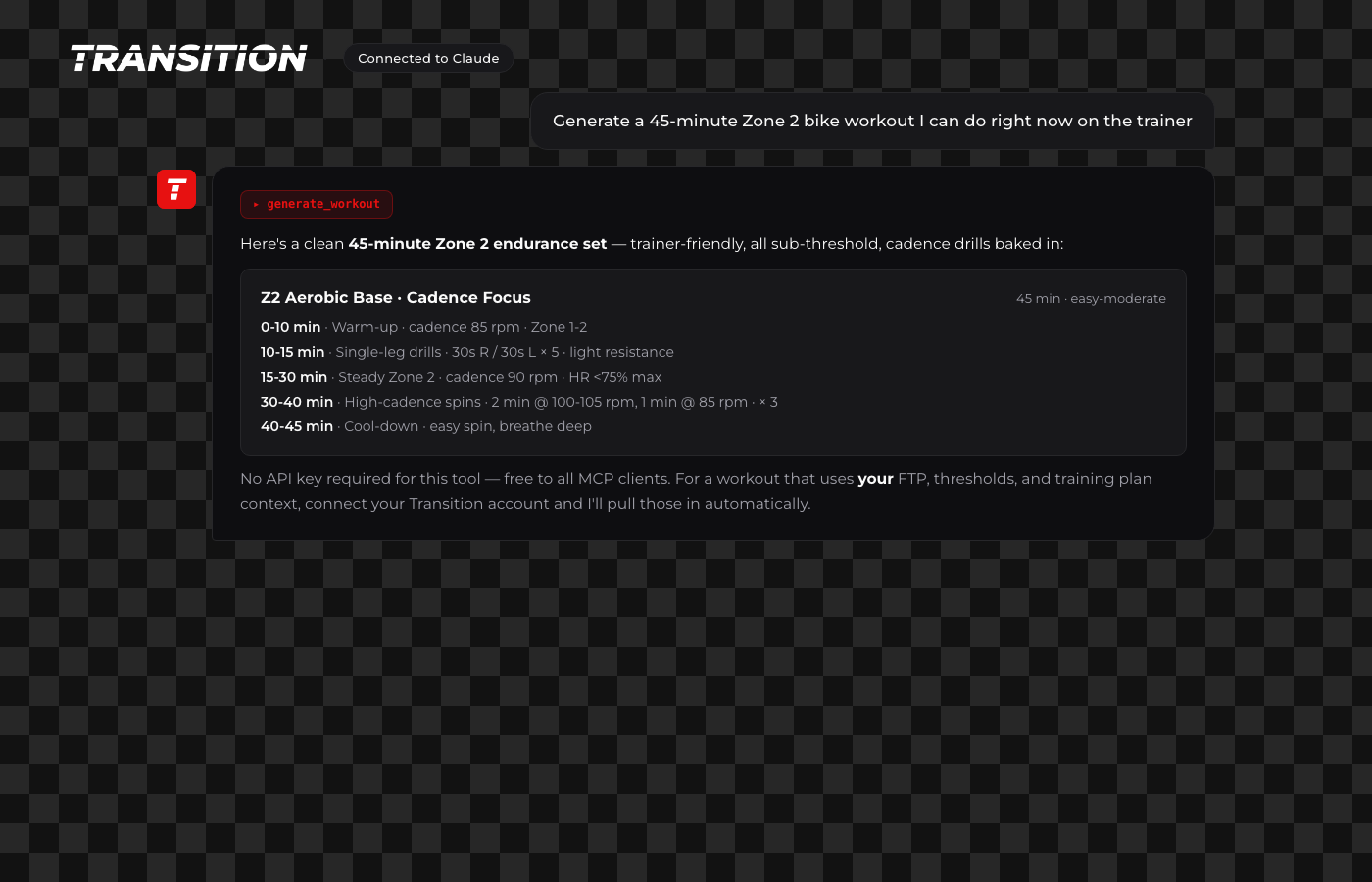
Need a quick one-off without involving your plan? "Generate a 45-minute Zone 2 bike workout I can do right now." Free endpoint, no account required, works for anyone using Claude.
The full tool set
Seventeen MCP tools, spanning the major surfaces of Transition:
- Plan:
get_todays_workout,get_week_plan,get_workout_details,adapt_plan,check_adaptation_status - Performance:
get_fitness_metrics,get_fitness_trends,get_training_history,get_past_workout_analysis - Health & body:
get_health_summary,get_recovery_status,get_body_metrics,get_nutrition_summary - Races:
get_race_context - Docs:
search_transition_docs - Coach:
chat_with_coach(full agent loop with memory) - Public:
generate_workout(no auth)
Claude picks which ones to call. You just say what you want.
How to connect
- Open Claude → Settings → Connectors → Add custom connector.
- URL:
https://mcp.transition.fun/ - Sign in with your Transition account on the consent page.
- Click Approve and connect.
That's it. Every future Claude conversation can call any of the 17 tools. Revoke anytime from Settings → API Keys in the Transition app.
How it's built (for the curious)
The MCP server is a small Go service that proxies tool calls to the existing Transition API with the user's OAuth-issued access token. No new databases, no shared session state, no user data stored on the MCP side — every call flows through the same auth, rate limits, and subscription gating the mobile app uses.
OAuth runs stateless: authorization codes are signed JWTs with a 60-second expiry, DCR client secrets are deterministic HMACs of the client ID, PKCE is enforced at the token endpoint. Your access token is a scoped Transition API key with a 90-day lifetime — rotate it anytime.
Everything is open-ish: the MCP server source and SKILL.md are on GitHub if you want to see the tool definitions or self-host a variant.
Feedback
This is v1. If you connect Transition in Claude and hit a rough edge — a tool that doesn't return what you expected, a missing capability, a latency spike — tell us at [email protected]. We'll ship fixes fast.
More integrations coming.


